tl;dr monitor comes with a poorly designed tilt joint that means you should not buy this for heavier monitors or, if you still do, that you should replace the M8x28mm flathead hex screw with an M8x40mm hex (socket/button/bolt) WITH A NUT so you can clamp on the tilt joint better to prevent monitor from tilting downward under it's own weight.
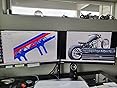
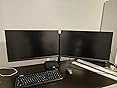
I bought this (April 2020 $50) to use with my first 2 monitors, both from acer: one was the XF270HU 27" LED 1440p 12.19lbs display, the other is a generic 60hz 24" IPS display that I got for 60$. Together, they worked great. They fit fine in landscape mode with my desk against the wall but they had a 2" gap between them that was impossible to squeeze away (but since I prefer to use my second monitor in portrait mode the gap was even wider for me). The hinges are designed with two EQUAL length arms as opposed to the first arm segment being shorter and the second arm segment (the one that attaches to your monitor) being longer. This means that the first arm has limited backward rotational range to articulate and makes it so that I would have to move my desk forward (away from the wall) by about 6". But, alas this is what happens when you forget about your monitor setup dimensions. So make sure you buy a stand that matches your setups' max width or move your desk away from the wall.
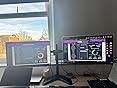
Recently, I upgraded my main monitor to an Alienware aw3423dw ultrawide in part due to the gap, but mostly because my work offered to buy it for me. I learned my mistake, measured and calculated the dimensions of my future setup (15.5lb ultrawide with 32" width in landscape + 8lb cheap monitor with 12.6" width in portrait) and calculated the monitor would fill the gap perfectly with my desk being pressed up against the wall. And it did.
Except now the ultrawide monitor won't stay upright. No big deal, I'll just tighten the screw that controls the tilt until it's tight enough to support the weight. So I went to tighten the screw, except it's already super tight. So much so that I have to break out a screwdriver with a perpendicular through-handle to get enough torque to tighten this screw. I tighten…and tighten…and keep trying to tighten, until my 5.0 hex screwdriver bit started to deform and twist in the center of the bit. And yet, the monitor does not stay in place. Despite the monitor being lower than the rated 22lbs this arm is supposed to support, the part of the monitor that controls vertical up/down tilt was not capable of supporting the weight of the monitor.
The monitor has 2 fatal flaws for heavier monitors. 1) The M8 x 28mm screw that controls the tilt tightness has no nut on the opposite end of the joint and is entirely reliant on the threads to tighten around this joint. This means there's no possible way to tighten the joint and prevent downward tilting without stripping the threads. Bad design. They needed to include a nut. 2) This part of the mechanism is smooth black-coated metal rubbing on smooth brass washers. Smooth material is exactly what you DO NOT want when you expect a part to resist motion aka have friction.
I fixed this a little by replacing the screw with another M8x40mm screw with a flat washer to distribute the tension around the joint and a split washer to resist vibrations from my standing desk and from any stomping/massive trucks that drive past my house. I did not scuff up the interior of the part but I should have because only static friction is supporting the weight of the monitor. Once it starts moving, it will tilt part of the way down. If you do decide to do this, know that it takes a great deal of effort to put the internal plastic pieces back into the joint. You will want tools or another person to spread the metal flange apart enough to slide the internal plastic piece + the 2 brass washers into the joint. You'll also want to take care to put it back in the correct orientation with the plastic tab of the internal piece facing away from your monitor and the nubs in the plastic washers aligned with holes in the metal flange. See photos for visual explanation.















Report