Update: The KVM still works great. I was able to connect the second display, a Dell U2713HM, to all three computers.
1. The Lenovo with two Ugreen Revodocks (B0F24B1VJN) with Amazon Basics DisplayPort 1.4 6' cables (B08FBJYWTJ) works pretty consistently. Sometimes my USB peripherals don't light up when switching to that KVM input. Switching to another input and back usually resolves it immediately. I think it probably has to do with sleep behavior on the laptop, and not an issue with the KVM.
2. The Mac Mini works without any problem at all, using two Warrky USB-C to DisplayPort 1.4 cables (B07RY75V7Q). I get 144Hz refresh rate on one display, and 60Hz on the other, which is the max for both.
3. My PC with an RTX 3060 Ti works great on the primary display, a Dell S3422DWG. The secondary display switches to Nvidia failsafe, and does 640×480. Sometimes I can get it to switch to its native resolution of 2560×1440 and when I can it works great. But most of the time, it just doesn't work. I'm going to try some different DisplayPort cables, but will probably have to settle for a single monitor on my PC.
Initial Review:
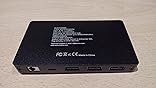
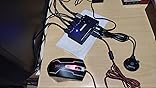
This is the best KVM I've picked up so far. I don't have all the right cables yet, but it supports 144hz@3440×1440, which is great. I'm waiting on additional DisplayPort cables to show up so I can connect my second monitor, but initial impressions are solid.
– Switches reliably between inputs.
– No weird video problems.
– Correctly passes audio over DP.
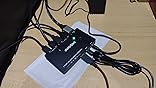
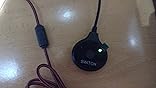
I have two complaints. There are no USB-C ports. I had to use a USB A to C adapter to connect the USB 3 cable from the KVM to my Mac Mini, but it worked. There are also only 4 USB inputs, but that just happens to work for me. The second complaint is that the status lights are way too bright. I "fixed" that by placing a piece of painter's tape over the LEDs. They're still extremely bright.


















Report